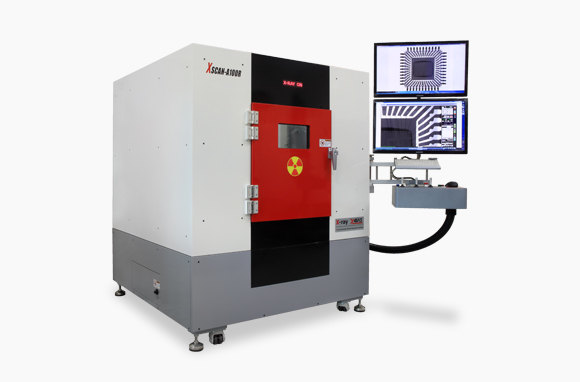
XAVIS XSCAN A-series PCB X-ray inspection systems offer four source configurations for electronics inspection. Compare the A100R, A130H, A150 and A100W with ProfTek against your board dimensions, materials and inspection task.
The manufacturer lists closed X-ray tubes with a 5 μm focal spot and a 5-inch flat-panel detector. Source voltage and power differ across the range. These values describe the listed hardware; they do not establish achievable resolution or inspection speed for every assembly.
| Model | Tube voltage | Tube power | Inspection area / table |
|---|---|---|---|
| A100R | 100 kV | 10 W | 500 × 500 mm / 520 × 520 mm |
| A130H | 130 kV | 39 W | 500 × 500 mm / 520 × 520 mm |
| A150 | 150 kV | 75 W | 500 × 500 mm / 520 × 520 mm |
| A100W | 100 kV | 10 W | Confirm the selected configuration |
Confirm sample height, weight, fixtures and usable imaging area before selecting a model. The dimensions listed for A100R, A130H and A150 should not be assumed to apply to A100W.
Cone-beam CT is an optional configuration of the XAVIS XSCAN A-series. It is not a standard 3D capability included with every machine. Discuss whether your inspection requires projection images or a CT option, then confirm the supplied hardware, software and sample-handling arrangement in the quotation.
Begin with the internal features you need to assess. Board construction, component overlap, material thickness and the orientation of a feature can affect the usefulness of an image. A representative sample evaluation provides a practical basis for comparing configurations.
For Australian electronics manufacturers, inspection planning starts with the assemblies and the quality decision. Send ProfTek representative boards and identify the features of interest, along with the largest and smallest board formats. Include fixtures or handling constraints that could affect positioning.
Agree on the evaluation criteria before reviewing results. Assess image usefulness on the actual assembly rather than relying on a tube-voltage comparison alone. Focal-spot specifications are not a guarantee of complete-system resolution.
Discuss installation space, access for loading, operator workflow and reporting requirements before ordering. Ask for current configuration drawings and utility requirements for the quoted model. Confirm the supplied detector, tube, software options and any fixtures as part of the final equipment specification.
The XAVIS XSCAN A-series sits within ProfTek’s PCB X-ray inspection range. For an inline production requirement, compare the XSCAN-9800T and 9800T25 with your board-transfer and review workflow. These are different equipment families, so their specifications should be evaluated separately.
See the official XAVIS XSCAN A-series information and the XAVIS supplier range. Request a current specification and sample review through ProfTek to confirm suitability for your application.
